What the specs on a monitor listing really mean
What the specs on a monitor listing really mean: resolution, panel type, refresh rate, response time, curve, sRGB and HDR terms explained.
On this page
Monitor listings are packed with numbers, and many of them are measured in ways that are not comparable from one brand to the next. This source-informed explainer decodes the ones that matter, using four monitors as examples. We read the manufacturer pages and general standards. We did not test the monitors, and every specification below is the maker's claim.
Size and aspect ratio
Size is the diagonal in inches. Aspect ratio is the shape. The Dell S2725QS, Dell S2725QC and Samsung Essential S3 are 27-inch 16:9 screens, and Samsung lists the Odyssey G55C as a 32-inch 16:9 screen. Bigger is not automatically better. At your normal viewing distance, a larger screen needs a higher resolution to stay sharp. OSHA suggests a distance of roughly 20 to 40 inches from your eyes, so a very large screen on a shallow desk can force you to move your head to see the corners.
Resolution
Resolution is the pixel count, such as 1920 by 1080 or 3840 by 2160. Dell lists the S2725QS and S2725QC at 3840 by 2160, Samsung lists the G55C at 2560 by 1440 and the Essential S3 at 1920 by 1080. Our 1440p or 4K article explains how to match resolution to screen size. Examples covered here include Samsung Odyssey G55C and Essential S3.
Panel type
The panel is the technology that makes the picture. Samsung's buying guide describes IPS as having wide viewing angles and consistent color but limited contrast, and VA as having strong contrast and good HDR performance with moderate viewing angles, though it notes ghosting can occur in fast scenes on VA. Plugable's guide describes VA as having the best contrast of the LCD types and IPS as the most color accurate with the widest viewing angles. Dell lists the S2725QS and S2725QC as IPS, and Samsung lists the G55C and Essential S3 as VA. Neither type is better in every way. IPS suits color work and wide angle viewing, VA suits dark rooms and film.
Brightness and contrast
Brightness is in candelas per square metre, written cd/m². Samsung lists 300 cd/m² typical for the G55C and 250 cd/m² typical for the Essential S3, and Dell lists 350 cd/m² for the S2725QS. Contrast is the ratio of the brightest white to the darkest black the screen can show. Samsung lists 2,500:1 for the G55C and 3,000:1 for the Essential S3, and Dell lists 1,500:1 for the S2725QS. Those figures reflect the panel types above: VA screens list higher contrast than IPS ones.
Refresh rate
Refresh rate is how many times per second the screen redraws, in hertz. Dell lists 120 Hz for the S2725QS, and Samsung lists up to 165 Hz for the G55C and up to 180 Hz for the G51F and G30D. Your computer and cable decide whether you reach the figure, and the refresh rate explainer covers that.
Response time
Makers quote response time in different ways. Dell lists 8, 5 and 4 ms grey to grey depending on the mode on the S2725QS, while Samsung lists 1 ms MPRT for the G55C. Those two measurements are not directly comparable, and we did not measure either.
Colour
Colour coverage tells you what share of a color space the monitor can show. Dell lists 99 percent sRGB for the S2725QS and S2725QC. That is a manufacturer claim and says nothing about how accurate the colors are out of the box.
Curve
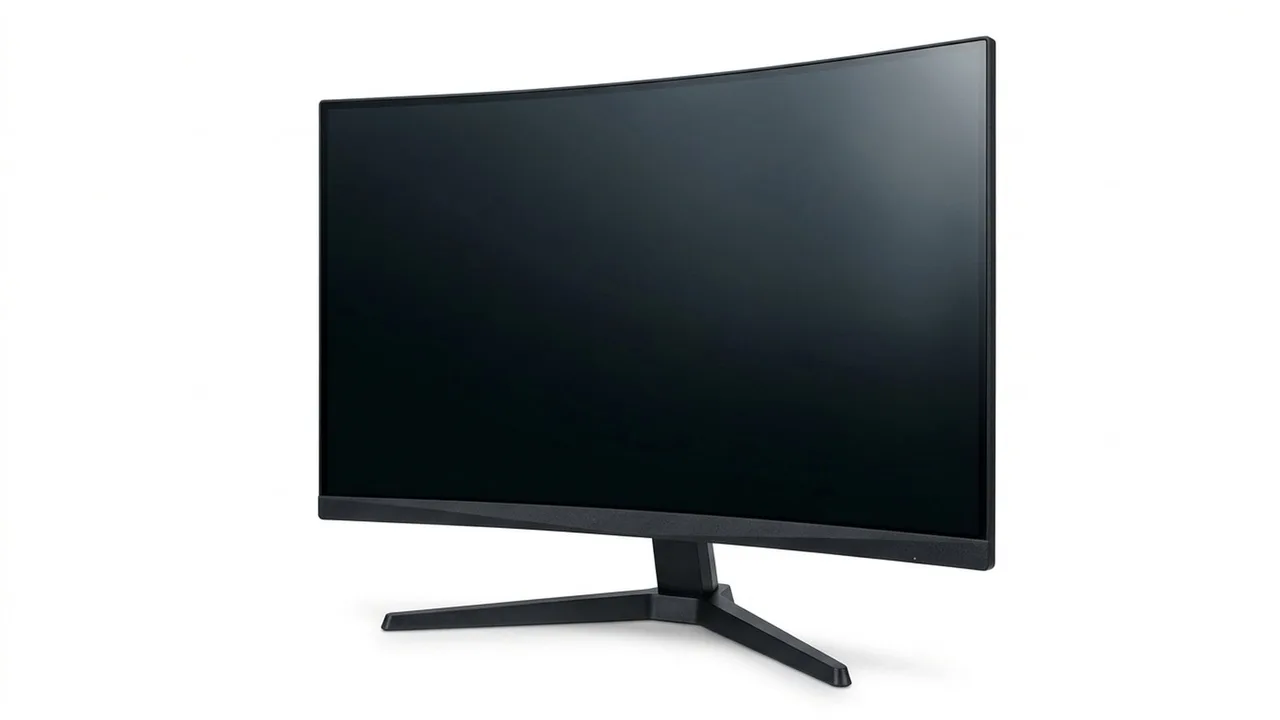
A curve is written as a number followed by R, such as 1000R or 1800R, meaning the curve is part of a circle with that radius in millimetres. A smaller number is a tighter curve. Samsung lists the G55C at 1000R and the Essential S3 at 1800R. Curvature is a matter of preference and desk depth. It is not a quality rating.
HDR
HDR means high dynamic range. Many listings say HDR10, which is a signal format the monitor can accept, not proof the screen is bright enough to show it well. VESA's DisplayHDR programme is a separate certification with tiers: DisplayHDR 400 requires a peak luminance of 400 cd/m² and, for example, 90 percent DCI-P3 color coverage, while DisplayHDR 1000 requires 1,000 cd/m² and local dimming. The Dell S2725QS page says HDR is supported over HDMI but lists no HDR certification or peak brightness. Treat HDR10 on its own as a compatibility label, and look for a certification tier if HDR matters to you.
Adaptive sync
Adaptive sync features, such as AMD FreeSync, let the monitor follow the frame rate of your computer. AMD lists tiers, and each carries different requirements. Dell lists FreeSync Premium for the S2725QS. Check which graphics cards the maker says are compatible.
Ports
Check the inputs against your computer. Dell lists two HDMI and one DisplayPort 1.4 on the S2725QS. Samsung lists one DisplayPort 1.2 and one HDMI 2.0 on the G55C, and one HDMI 1.4 and one D-Sub on the Essential S3, with no USB hub on the latter. The S2725QC adds a USB-C input with 65 W power delivery. The stand matters too. The S2725QS lists height, tilt, swivel and pivot adjustment and 100 by 100 VESA mounting, while Samsung lists a tilt-only simple stand with 75 by 75 VESA mounting for the G55C and Essential S3. If you want a monitor arm, check the VESA pattern and weight.
Warranty
Dell lists three years for the S2725QS and one year for the S2725QC. Compare the length and the terms, not just the headline.
Put it together
Read how to choose a monitor and monitor buying mistakes.
Samsung 32" Odyssey
A 32-inch QHD curved VA monitor listed at up to 165 Hz.
Dell S2725QS 27-inch 4K Monitor
A 27-inch 4K IPS Dell monitor with speakers.
Samsung 27" Essential S3
A 27-inch FHD curved VA monitor with a tilt stand.
Dell S2725QC 27-inch 4K Monitor
A 27-inch 4K IPS Dell monitor with a USB-C input.
Be careful with
Comparing specification numbers between brands without checking how each number was measured.
The practical answer
Start with size, resolution and ports, then check panel type, stand and warranty. Treat HDR and response time numbers with care.
Questions people ask
What is sRGB 99%?
It means the screen covers 99% of the sRGB colour space, a common standard.
What is 1000R?
A tight curve rating.
What does 4ms mean?
A response time claim, usually a best case figure.
What is FreeSync Premium?
An adaptive sync standard that reduces tearing.
Sources and scope
Reference material is linked for the scope described below. This is not a claim that every statement or current retailer offer has been independently verified.
- Monitor buying guide: IPS vs VA vs TN vs OLED (Samsung): panel type comparison by a manufacturer
- Monitor panel types explained (Plugable): panel type comparison by an accessory maker
- DisplayHDR CTS 1.2 specification summary (VESA DisplayHDR): HDR certification criteria
- AMD FreeSync technology (AMD): adaptive sync tiers and requirements
- Dell 27 Plus 4K monitor S2725QS (Dell): manufacturer specifications
- Odyssey G55C 32 inch QHD curved gaming monitor (Samsung): manufacturer specifications
- 27 inch S36GD FHD curved monitor (Samsung): manufacturer specifications
- Computer workstations: monitors (OSHA, U.S. Department of Labor): government workplace guidance
No hands-on testing or systematic reliability study was performed. Confirm current instructions, seller, model and box contents before ordering.