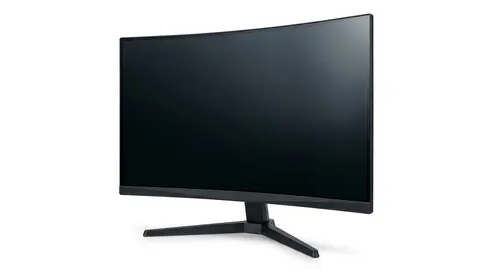
How to choose a monitor
Choose a monitor by the task, readable text size and complete connection path. Compare six listings while separating resolution from unverified image quality.

On this page
- Start with how you use it, in one actual session
- Size and resolution should stay separate
- Scaling changes the workspace you actually use
- Panel type is a starting label, not a color approval
- Refresh rate does not tell the whole motion story
- Six formats to examine before choosing
- Three documented checks before you order
- Stand movement can solve a problem resolution cannot
- Compare work and entertainment as different jobs
- Keep ports and ownership details on the same checklist
The monitor looks large in the listing, yet the document you need may still be difficult to read at its default scaling. Begin with the work on the screen and the space around it. A diagonal size cannot decide either one for you.
We opened the six product listings below. We did not use the monitors or measure their picture quality. Specifications identify formats to compare; they do not establish an independent performance ranking.
Start with how you use it, in one actual session
Rank your main tasks. Someone working with documents needs a suitable readable layout. Someone playing games needs to check both the display mode and game performance. Color critical work needs measurements and calibration requirements beyond the panel label.
For a worked example, a home worker alternates a spreadsheet with video calls on a laptop dock. They should test the window layout at a readable text size, check the dock's output mode and decide whether laptop charging through the monitor is necessary. Those answers can be more decisive than the largest display in the group.
Size and resolution should stay separate
The Dell S2725QS and Dell S2725QC listings describe 27-inch 4K IPS formats. The Samsung Odyssey G5 and Samsung 32-inch Odyssey G55C are QHD formats. The Samsung Essential S3 and LG 32MR50C are Full HD entries of different physical sizes.
These labels do not make every use of one resolution equally readable. Compare the actual pixel layout, the intended viewing position and operating system scaling. Our 1440p and 4K explainer discusses that distinction without treating a size as a universal verdict.
Scaling changes the workspace you actually use
A higher resolution may show smaller interface elements at the default setting. Adjust scaling to assess the text and controls you need rather than assuming every extra pixel becomes extra document space.
Check the applications you use most, including remote desktop tools and older software. A setup that looks useful in a screenshot may not keep all controls readable at your preferred scaling. We did not measure text clarity on these displays.
Panel type is a starting label, not a color approval
The two Dell listings identify IPS. The LG listing identifies VA. We do not declare one automatically suitable for professional color work. Coverage claims, brightness claims and a panel family name do not replace measurements of the exact model and operating mode.
If color work matters, obtain an appropriate measured review and check the calibration workflow. If it does not, focus first on readability and the physical setup rather than using a gamut percentage as a buying shortcut.
Refresh rate does not tell the whole motion story
Several listings emphasize higher refresh modes. A display's maximum mode and the frames delivered by your computer are separate questions. Response time figures can also use different measurements, making a simple lowest number comparison misleading.
Check the input mode table and the actual output chain. The refresh rate explainer provides context. We did not verify that any entry eliminates lag, reduces symptoms or provides the picture behavior stated in its marketing.
Six formats to examine before choosing
Samsung 32" Odyssey
Consider the larger curved QHD format if its footprint and application layout fit; skip it if the curve is unsuitable for your work.
Dell S2725QS 27-inch 4K Monitor
Consider this 27-inch 4K option after checking readable scaling and the required input mode.
The Essential S3 may be relevant when its curved Full HD format suits an existing setup. Skip it if you need a different pixel layout or a connection feature the selected option does not provide. Do not treat its simpler format as a verified power or performance advantage.
Samsung 27" Essential S3
Compare the curved Full HD format with your text size and stand requirements.
The S2725QC listing describes USB C charging up to 65W. Check the laptop's video and power requirements before treating that as a complete single cable setup. Skip it if the required power or display mode cannot be confirmed.
Dell S2725QC 27-inch 4K Monitor
Check laptop video support and charging requirements before choosing the USB C format.
LG 32MR50C-B Curved Monitor 32-Inch FHD 100Hz AMD
Consider the larger Full HD screen only after evaluating the text layout at your intended viewing position.
Samsung 27" Odyssey G5
Compare the QHD gaming format and stand movement without assuming measured latency or color quality.
Three documented checks before you order
First, position. OSHA's guidance puts the top of the screen at or slightly below eye level, the screen about 20 to 40 inches from your eyes, directly in front of you with no more than 35 degrees of turn to either side, and tilted so it is roughly square to your line of sight. Tilt-only stands, which Samsung lists for the G55C and S36GD, may need an arm.
Second, panel. Samsung's buying guide describes IPS as having wide viewing angles with limited contrast and VA as having strong contrast with moderate angles. Dell lists IPS for the S2725QS and S2725QC, and Samsung lists VA for its models here.
Third, labels. HDR10 is a signal format, while VESA's DisplayHDR tiers are the measurable certification. Samsung footnotes that FreeSync needs a compatible AMD card.
Stand movement can solve a problem resolution cannot
Look for the exact stand adjustments, not an ergonomic label. Measure the base. A tilt control does not establish height movement or pivot. Check whether the drawing includes the stand and how much desk depth it occupies.
For an arm, confirm the monitor's mounting requirements and the arm's support instructions. The desk attachment is another requirement. Do not assume a screen is compatible because its diagonal falls within a broad size range.
Compare work and entertainment as different jobs
A laptop used for documents during the day may connect to a game device in the evening. Record the supported mode for each source separately. The desktop output does not establish the game device's resolution, refresh behavior or compatibility with the monitor's picture format.
Check how you change inputs and where the cables remain when both sources are connected. Decide whether speakers or a separate audio route are necessary; do not assume a headphone socket means built-in speakers. These practical details can rule out a display without making a claim about its measured image quality.
Keep ports and ownership details on the same checklist
Confirm the monitor input, computer output and any adapters together. A matching plug does not establish every video mode or charging feature. Check the included cable and document which mode the proposed connection supports.
Read the seller's return conditions, model warranty and pixel fault policy before ordering. Keep the documents. Follow the panel's cleaning guidance and avoid assuming a household cleaner is appropriate. The monitor shortlist, specification explainer and buying mistakes provide related reading.
Be careful with
A display that fits the desk but cannot receive the mode you need through the actual dock and cable. Resolve the complete connection path before comparing picture marketing.
Check the current price on Amazon only after narrowing the format and supported mode. If the application layout or connection is still uncertain, obtain those answers before choosing a larger or faster screen.
Questions people ask
What size monitor is best?
Measure the screen and stand in the intended position. Diagonal size alone does not establish readable text, usable keyboard space or comfortable viewing.
Should I choose 1080p, 1440p or 4K?
Compare the actual pixel layout, scaling and tasks. A higher pixel count does not independently establish color accuracy, contrast or game performance.
What refresh rate do I need?
Choose a mode your computer and connection can send and your intended use benefits from. We did not measure latency or motion quality on these models.
Is a curved monitor better?
It is a viewing and layout preference to assess in the intended position. We did not establish a universal comfort or productivity advantage.
Sources and scope
Reference material is linked for the scope described below. This is not a claim that every statement or current retailer offer has been independently verified.
- Computer workstations: monitors (OSHA, U.S. Department of Labor): government workplace guidance
- Monitor buying guide: IPS vs VA vs TN vs OLED (Samsung): panel type comparison by a manufacturer
- DisplayHDR CTS 1.2 specification summary (VESA DisplayHDR): HDR certification criteria
- AMD FreeSync technology (AMD): adaptive sync tiers and requirements
- Dell 27 Plus 4K monitor S2725QS (Dell): manufacturer specifications
- Dell 27 Plus 4K USB-C monitor S2725QC (Dell): manufacturer specifications
- Odyssey G55C 32 inch QHD curved gaming monitor (Samsung): manufacturer specifications
- Odyssey G5 G51F 27 inch QHD gaming monitor (Samsung): manufacturer specifications
- 27 inch S36GD FHD curved monitor (Samsung): manufacturer specifications
- LG 32MR50C-B FHD monitor (LG): manufacturer feature list
No hands-on testing or systematic reliability study was performed. Confirm current instructions, seller, model and box contents before ordering.