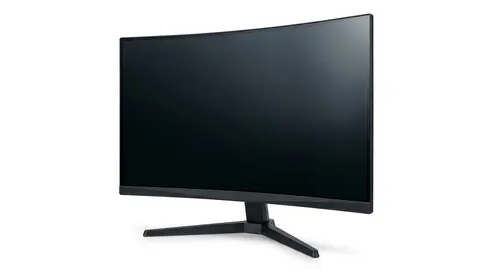
Best monitors: picks for different budgets and needs
Compare seven monitor formats by readable workspace, connection needs and stand movement. Separate 4K, QHD and Full HD choices without unverified picture rankings.

On this page
- Quick picks should follow the display task
- Dell S2725QS: a 4K layout without a color verdict
- Dell S2725QC: the laptop connection can decide the purchase
- Odyssey G55C: a larger curved QHD format
- Odyssey G51F: check the stand as well as the mode
- Odyssey G30D: Full HD is a deliberate choice
- Essential S3: a curved everyday format
- LG 32MR50C: more physical space, not automatically more workspace
- What the manufacturer pages list
- Separate the shortlist into requirements
- Record the text layout before comparing the picture
- A two source setup needs two answers
A sharper document workspace and a faster game display are not the same requirement. The seven listings here offer several pixel layouts, physical sizes and connection arrangements. Use those differences to choose what to investigate, not to declare a picture quality winner we have not tested.
We opened the product listings. We did not measure color, brightness, uniformity, latency or energy use. There is no invented cheapest model ranking, and an advertised eye comfort feature is not a clinical recommendation.
Quick picks should follow the display task
Investigate the Dell entries when a 27-inch 4K layout is the starting requirement. Compare the QHD Odyssey options when their physical formats and game modes fit the plan. Check the Full HD entries against your actual text size and equipment layout rather than assuming a larger screen is automatically more useful.
Our monitor selection guide explains the connection and scaling checks. Keep those questions beside the shortlist.
Dell S2725QS: a 4K layout without a color verdict
The Dell S2725QS listing describes a 27-inch 4K IPS format and a 120Hz mode. It is worth examining when a higher pixel layout suits the application and the computer can send the mode you intend to use.
Consider it after checking readable scaling and stand placement. Skip it if the dock or adapter cannot provide the required output. We do not treat an IPS label or gamut figure as proof of professional color accuracy, and unusually low response marketing was not verified.
Dell S2725QS 27-inch 4K Monitor
Check the readable 4K layout and required input mode before choosing this Dell entry.
Dell S2725QC: the laptop connection can decide the purchase
The Dell S2725QC listing also describes a 27-inch 4K IPS format with a 120Hz mode. It additionally describes USB C power delivery up to 65W, which may matter more than a small response time difference in the product name.
Consider it when a compatible laptop can use the documented video and power arrangement. Check the laptop's charging need and its video capable port. Skip it if either requirement is unresolved. We do not declare it the better color work option merely because the listing states a coverage percentage.
Dell S2725QC 27-inch 4K Monitor
Consider the USB C arrangement only with confirmed laptop display support and suitable charging needs.
Odyssey G55C: a larger curved QHD format
The Odyssey G55C listing describes a 32-inch QHD screen with a 1000R curve and a stated 165Hz mode. It belongs on the shortlist when that larger curved layout has a specific purpose in the room.
Check the full footprint and the view of the applications you use. Skip it if a curved surface is unsuitable for the intended task or the stand consumes too much of the working area. We did not verify motion behavior, HDR performance or an immersive advantage for every user. The G55C closer look provides related questions.
Samsung 32" Odyssey
Compare the larger curved QHD format with the room and task, not a universal viewing recommendation.
Odyssey G51F: check the stand as well as the mode
The Odyssey G5 G51F listing describes a 27-inch QHD format and a 180Hz mode. It also describes height, pivot and tilt movement. Those controls can be relevant when the desktop position is the limiting part of the setup.
Consider it when the required mode and stand arrangement match the system. Skip it if a different connection or pixel layout is necessary. We did not substantiate a measured latency or color advantage, and a stand feature is not a guarantee of personal comfort.
Samsung 27" Odyssey G5
Check the QHD mode and stated stand movement against the position you want to use.
Odyssey G30D: Full HD is a deliberate choice
The Odyssey G3 G30D listing describes a Full HD gaming format with a high refresh mode and stand adjustments. It is relevant when that pixel layout is intentional, not simply when the buyer is told to choose a budget tier.
Compare the actual game's output path and desired document layout. Skip it if you need a higher pixel workspace or a feature absent from the selected option. We did not measure a graphics performance saving and do not turn the simpler resolution into a universal power claim.
Samsung 27" Odyssey G3
Consider the Full HD format when it is the intended system requirement, not an assumed performance shortcut.
Essential S3: a curved everyday format
The Essential S3 S36GD listing describes a 27-inch curved Full HD screen with a 100Hz mode. It is worth checking when that format meets an existing application and desk arrangement.
Skip it if readable text at your viewing position or an exact connection requirement remains uncertain. We did not independently verify a comfort certification or reduced symptoms. Ask about the stand and model specific inputs instead of treating everyday as a complete feature description.
Samsung 27" Essential S3
Check the curved Full HD layout, stand and input requirements before choosing the S3.
LG 32MR50C: more physical space, not automatically more workspace
The LG 32MR50C listing describes a 32-inch curved Full HD VA format with a 100Hz mode and tilt adjustment. It is a physically larger way to display that pixel layout.
Consider it only after evaluating readable text size and usable desk space. A larger diagonal does not add pixels to the Full HD image. Skip it if you need a different pixel arrangement or stand movement not established by the listing. We did not measure sharpness or uniformity at your intended distance.
LG 32MR50C-B Curved Monitor 32-Inch FHD 100Hz AMD
Compare the larger physical Full HD format without assuming extra document workspace.
What the manufacturer pages list
These are the makers' own figures, collected so you can compare the formats above. They are not our measurements.
- Dell S2725QS: IPS, 3840 by 2160, 120 Hz standard, two HDMI inputs and one DisplayPort 1.4, dual 5 W speakers, 350 cd/m², FreeSync Premium, three year warranty.
- Dell S2725QC: IPS, 3840 by 2160, 120 Hz standard, a USB-C input with up to 65 W power delivery and DisplayPort Alt Mode, two HDMI, 99 percent sRGB, one year warranty.
- Odyssey G55C: VA, 2560 by 1440, up to 165 Hz, 1000R curve, DisplayPort 1.2 and HDMI 2.0, tilt-only stand, 75 by 75 mm VESA.
- Odyssey G5 G51F: VA, 2560 by 1440, up to 180 Hz, flat, DisplayPort 1.4 and two HDMI 2.0, height, tilt, swivel and pivot adjustment, 100 by 100 mm VESA.
- Odyssey G3 G30D: VA, 1920 by 1080, up to 180 Hz, flat, DisplayPort 1.4 and HDMI 2.0, height, tilt, swivel and pivot adjustment, 100 by 100 mm VESA.
- Essential S3 S36GD: VA, 1920 by 1080, up to 100 Hz (60 Hz by default until set in the menu), 1800R curve, one HDMI 1.4 and a D-Sub input, tilt-only stand, 75 by 75 mm VESA.
- LG 32MR50C: 32-inch curved Full HD at 100 Hz with AMD FreeSync. The LG page we read did not list the panel type, ports or stand details, so confirm those before buying.
Two cautions apply to all seven. Response time is quoted two different ways, 1 ms MPRT by Samsung and 4, 5 or 8 ms grey to grey by Dell, so those numbers do not compare directly. And HDR10 or "HDR supported" is a signal format, not a brightness guarantee. VESA's DisplayHDR certification sets measurable minimums, and none of these pages lists a tier. Finally, OSHA says the top of the screen should be at or slightly below eye level, so a tilt-only stand is a practical limit if your desk and chair do not put the screen at the right height.
Separate the shortlist into requirements
| Format | Candidate entries | Check before committing |
|---|---|---|
| 27-inch 4K | Dell pair | Scaling and complete output path |
| QHD gaming | G55C, G51F | Physical layout and supported mode |
| Full HD gaming | G30D | Intended pixel layout and input mode |
| Curved Full HD | S3, LG | Readable text size and stand footprint |
Record the text layout before comparing the picture
Write down the document arrangement that makes the current screen useful or inconvenient. Include the text size, visible controls and space needed for the second application. Then assess the proposed display at the scaling you intend to use, not a screenshot chosen to show the maximum number of windows.
This also makes a return decision more concrete. You can determine whether the new setup solves the layout problem instead of deciding from an unfamiliar factory picture setting or an adjective on the product page.
A two source setup needs two answers
Imagine a laptop used for documents and a separate game device connected to the same monitor. The laptop dock's mode does not establish the game device's output, and the game device's behavior does not establish text readability for work.
Write down each connection route and the supported mode. Then check how you switch inputs and manage audio. If color critical work is also required, obtain suitable measurements for the exact display rather than assuming the higher resolution meets that need.
Read the selected seller's return conditions and panel fault policy. Keep the specifications and follow the cleaning instructions. The specification explainer and buying mistakes provide related reading.
Be careful with
A monitor that fits a marketing category but fails the actual application or connection check. Resolve those requirements before checking the current price on Amazon.
Questions people ask
Which entries list 4K?
The two Dell 27 inch entries state a 4K IPS format. That does not independently establish color accuracy, readability at your scaling or game performance.
Which is easiest for my graphics card?
Resolution is only one factor in a workload. We did not measure power use or frame rates; check relevant results for the games and settings you intend to use.
Which entries target gaming?
The Odyssey G55C, G51F and G30D listings emphasize gaming modes. Their headline response figures do not make directly comparable test results.
Which models are curved?
The checked G55C, Essential S3 and LG listings describe curved formats. Treat curvature as a setup preference rather than a verified health benefit.
Sources and scope
Reference material is linked for the scope described below. This is not a claim that every statement or current retailer offer has been independently verified.
- Dell 27 Plus 4K monitor S2725QS (Dell): manufacturer specifications
- Dell 27 Plus 4K USB-C monitor S2725QC (Dell): manufacturer specifications
- Odyssey G55C 32 inch QHD curved gaming monitor (Samsung): manufacturer specifications
- Odyssey G5 G51F 27 inch QHD gaming monitor (Samsung): manufacturer specifications
- Odyssey G3 G30D 27 inch FHD gaming monitor (Samsung): manufacturer specifications
- 27 inch S36GD FHD curved monitor (Samsung): manufacturer specifications
- LG 32MR50C-B FHD monitor (LG): manufacturer feature list
- Computer workstations: monitors (OSHA, U.S. Department of Labor): government workplace guidance
- Monitor buying guide: IPS vs VA vs TN vs OLED (Samsung): panel type comparison by a manufacturer
- DisplayHDR CTS 1.2 specification summary (VESA DisplayHDR): HDR certification criteria
No hands-on testing or systematic reliability study was performed. Confirm current instructions, seller, model and box contents before ordering.