What the specs on an ultrawide monitor listing really mean
What the specs on an ultrawide monitor listing really mean: resolution names, panel types, curve ratings, refresh rate and response time explained.
On this page
Ultrawide listings pack a lot into a few lines: resolution codes, curve ratings, refresh figures and certification names. This explainer decodes them using the makers' own pages where we could read one. It is source-informed. We did not use these monitors, and where a number comes from a seller listing rather than a maker, we say so.
Resolution names
Ultrawide screens use several names for similar pixel counts. The Dell S3425DW lists 3440 by 1440. The SANSUI 200Hz and SANSUI 240Hz listings call the same layout UWQHD, and Samsung calls the ViewFinity S50GC Ultra-WQHD. The 57-inch Neo G9 is a different class: Samsung lists 7680 by 2160, which is two 3840 by 2160 screens side by side. Always read the two pixel counts, not the label.
Aspect ratio
Dell lists 21:9 for the S3425DW, which is the common ultrawide shape. The Neo G9's 7680 by 2160 works out to 32:9. A wider ratio gives more horizontal space but not necessarily a taller screen, so compare height as well as width.

Panel type
Samsung's buying guide describes VA panels as strong on contrast with moderate viewing angles, and IPS as wide on viewing angles with weaker contrast. Dell's pages for the S3425DW and the Alienware AW3425DWM list VA, as does Samsung's for the S50GC. On a wide screen viewing angle matters more than on a narrow one, because your eyes see the outer edges from a slant.
Curve rating
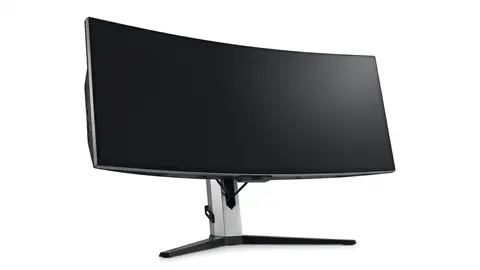
An R number such as 1800R or 1500R describes the radius of the curve, and a smaller number means a tighter curve. Dell lists 1800R for the S3425DW and 1500R for the AW3425DWM. Samsung lists the S50GC as flat. A curve affects how the edges sit relative to your eyes, not how many pixels you get. OSHA's guidance on screen position is the practical reference: keep the screen straight ahead, 20 to 40 inches away, with no more than 35 degrees of head turn.
Refresh rate
Dell lists 120 Hz for the S3425DW, Samsung lists 100 Hz for the S50GC, Dell lists up to 180 Hz for the AW3425DWM, and Samsung lists 240 Hz for the Neo G9. The SANSUI listings give 200 Hz and 240 Hz, but we had no maker page for them. A refresh rate is a ceiling the screen can display, and your graphics hardware and cable decide whether you reach it. See our refresh rate explainer.
Response time
Samsung's S50GC lists 5 ms. Quoted response times use different methods, such as grey to grey and moving picture response time, so numbers from different makers are not directly comparable. We did not measure any of them.
HDR
HDR10 is a signal format that a screen can accept. VESA's DisplayHDR tiers, such as the DisplayHDR 400 that Dell lists for the AW3425DWM and the DisplayHDR 1000 that Samsung lists for the Neo G9, are measurable certification levels. The numbers refer to peak brightness targets, which is why DisplayHDR 400 is a lower bar than 1000. Samsung's S50GC lists HDR10 without a tier.
Adaptive sync
AMD's FreeSync page describes tiers. Dell lists FreeSync Premium for the S3425DW, and Samsung lists FreeSync Premium Pro for the S50GC. Check which graphics cards the maker says are compatible, because Samsung footnotes that FreeSync on one of its models needs a compatible AMD card.
Ports
Samsung lists two HDMI 2.0 ports and one DisplayPort 1.2 for the S50GC. Dell lists two HDMI 2.1 and one DisplayPort 1.4 for the AW3425DWM. The HDMI Forum describes HDMI 2.1 as the version built for higher resolution and refresh combinations, and VESA describes DisplayPort 2.1 as its latest step, which is the one Samsung lists for the Neo G9. The port on the screen is only one link, so confirm the output on your computer and the cable too.
USB-C
Dell lists USB-C input on the S3425DW with 65 W power delivery. That can charge a compatible laptop and carry video over one cable, but only if the laptop supports DisplayPort Alternate Mode and needs no more than that wattage.
Mounting and stand
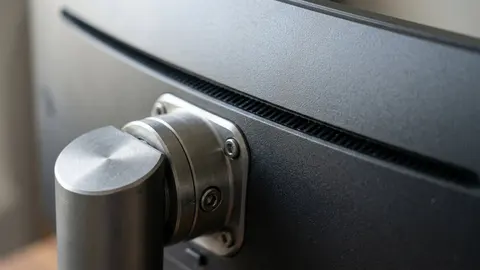
Samsung lists the S50GC with a tilt-only stand, while the 100 by 100 mm and 75 by 75 mm VESA patterns that appear on other Samsung monitors differ by model, so read each spec sheet. A stand that only tilts may need an arm to meet OSHA's guidance of the top of the screen at or slightly below eye level. Check the pattern and load rating before choosing an arm.
Put it together
Read the pixel counts, then the panel, curve, ports and warranty, and compare them to your desk and computer. The selection guide, shortlist and mistakes to avoid apply these in order.
Dell S3425DW 34-inch Monitor
VA, 3440 by 1440, 120 Hz, USB-C with 65 W power delivery.
Samsung ViewFinity S50GC 34-inch
Flat Ultra-WQHD, 100 Hz, HDR10 and FreeSync Premium Pro.
SANSUI 34-inch Curved Ultrawide Monitor
A 34-inch curved UWQHD ultrawide at 200Hz.
SANSUI 34-inch Curved Monitor 240Hz UWQHD 3440×1440
A 34-inch curved UWQHD ultrawide at 240Hz.
Be careful with
Treating response time or HDR labels as measured results. They are maker claims, and different makers measure differently.
The practical answer
Check the two pixel counts, the panel and curve, the ports and the cable path. A headline number cannot make up for a missing input or a laptop that cannot send the mode.
Questions people ask
What is UWQHD?
Ultrawide QHD, usually 3440 by 1440 pixels.
What is 1000R?
A curve rating, where a lower number is a tighter curve.
Is 1ms response real?
It is usually a best case measured in specific conditions.
What is HDR10?
A standard for accepting HDR signals. It does not guarantee bright HDR.
Sources and scope
Reference material is linked for the scope described below. This is not a claim that every statement or current retailer offer has been independently verified.
- Dell 34 Plus curved monitor S3425DW (Dell): manufacturer specifications
- 34 inch ViewFinity S50GC Ultra-WQHD monitor (Samsung): manufacturer specifications
- Alienware 34 gaming monitor AW3425DWM fact and spec sheet (Dell Technologies): manufacturer specifications
- 57 inch Odyssey Neo G9 G95NC (Samsung): manufacturer specifications
- HDMI 2.1 specification overview (HDMI Licensing Administrator): interface standard
- VESA releases DisplayPort 2.1 specification (VESA): interface standard
- DisplayHDR CTS 1.2 specification summary (VESA DisplayHDR): HDR certification criteria
- AMD FreeSync technology (AMD): adaptive sync tiers and requirements
- Monitor buying guide: IPS vs VA vs TN vs OLED (Samsung): panel type comparison by a manufacturer
- Computer workstations: monitors (OSHA, U.S. Department of Labor): government workplace guidance
No hands-on testing or systematic reliability study was performed. Confirm current instructions, seller, model and box contents before ordering.