Wireless microphone system mistakes to avoid before you buy
Wireless microphone system mistakes to avoid before you buy: wrong type, ignoring connectors, trusting range claims, skipping tests and forgetting wind protection.
On this page
- Mistake 1: the wrong type for the job
- Mistake 2: ignoring connectors
- Mistake 3: trusting range claims
- Mistake 4: skipping tests
- Mistake 5: forgetting wind protection
- Mistake 6: poor placement
- Mistake 7: relying on one recording
- Mistake 8: clashing frequencies
- Mistake 9: mixing generations
- How to avoid most of these
- When to buy a second set
- Mistake 10: buying on price alone
- Mistake 11: leaving settings on default
- What to do instead
- The practical answer
Wireless microphones fail in predictable ways. This is general advice, not a hands on test. The examples are the DJI Mic 3, DJI Mic 2, Phenyx Pro PTU-71-2H and Phenyx Pro PTU-52-2H, and the figures come from the makers' pages and a retailer listing.
Mistake 1: the wrong type for the job
A compact clip on set suits vlogs and interviews, and a handheld UHF set suits presenting and singing. Using one for the other's job gives awkward results. Fix: decide first. See how to choose a wireless microphone system.
Mistake 2: ignoring connectors
The receiver has to connect to your camera or phone. A mismatch needs an adapter, which is one more thing to fail. DJI lists a USB-C phone adapter in the Mic 3 combination and sells a Lightning adapter separately. Fix: check the output on the listing and your device's input.
Mistake 3: trusting range claims
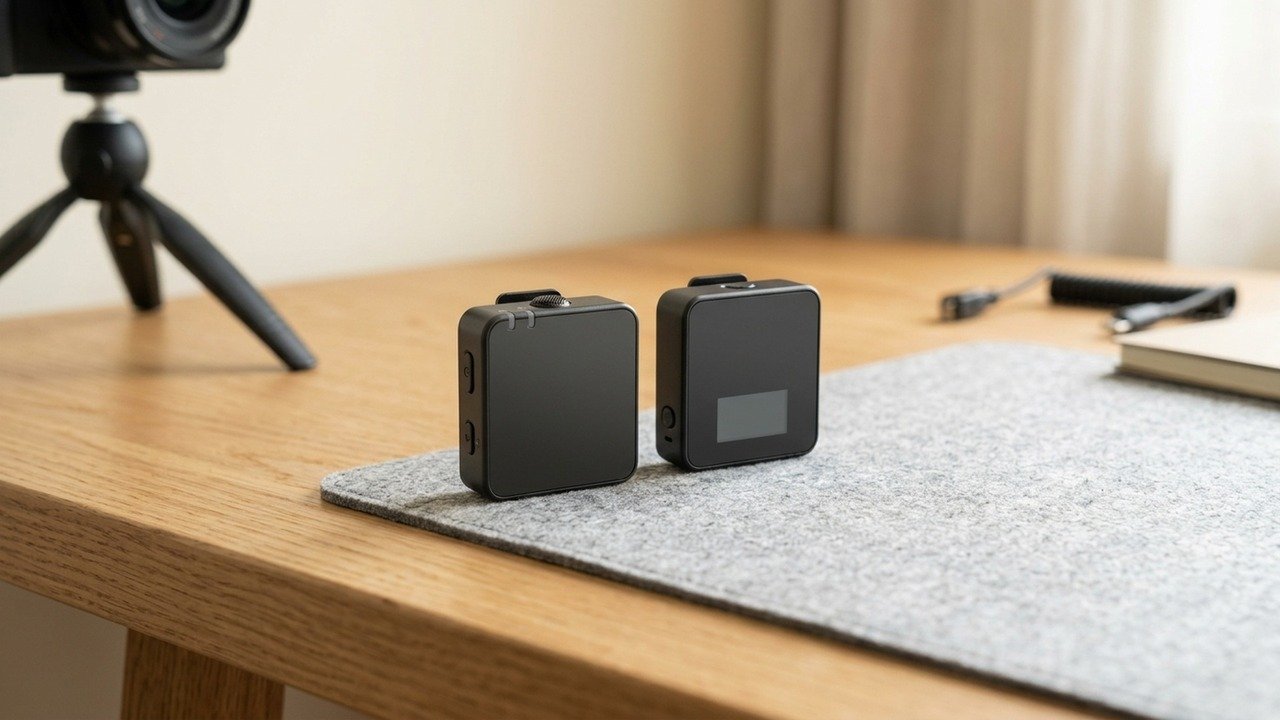
Range is measured in open space. DJI's own Mic 3 page gives 400 m in open conditions and 80 m in a high interference lab case, and the Mic 2 page gives 250 m under FCC rules and 160 m under CE rules. Phenyx lists 100 m line of sight for the PTU-71. Fix: test in the real place with people and walls in the way.
Mistake 4: skipping tests
Pairing, levels and interference can fail. Fix: do a test recording and listen on headphones every time.
Mistake 5: forgetting wind protection
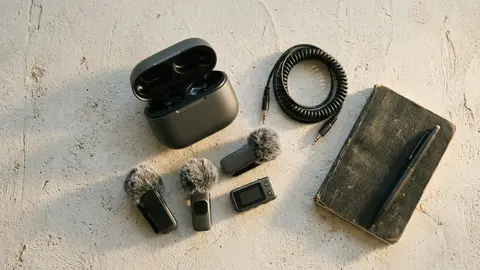
Wind noise ruins outdoor audio. Fix: use a foam or fur windscreen. DJI lists windscreens in the Mic 3 combination, but check they suit the conditions you film in.
Mistake 6: poor placement
A microphone clipped too far from the mouth or rubbing against clothes sounds bad. Fix: place it a hand's width below the chin, and keep it free from rubbing.
Mistake 7: relying on one recording
Fix: record a backup on the camera or on the transmitters when possible. DJI lists internal recording on the Mic 3 transmitters, which gives you a second copy if the wireless link drops. The Mic 2 page we read did not list it, so check before you rely on it.
Mistake 8: clashing frequencies
Two UHF systems in one room can interfere. The Phenyx sets use different methods, such as auto scan and tunable frequency. Phenyx lists up to six PTU-71 systems working together. Fix: coordinate channels and use scan or tune features. Phenyx also advises checking local rules on which frequencies may be used.
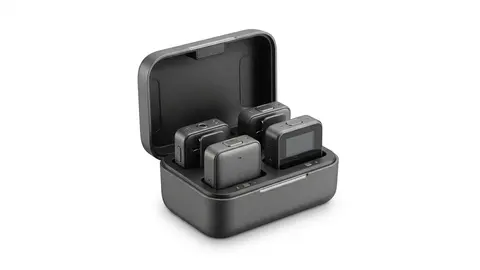
DJI Mic 3
A wireless microphone set with two transmitters, a receiver and a charging case.
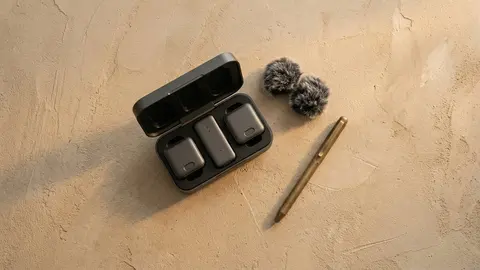
DJI Mic 2
An all in one wireless microphone set with two transmitters and a charging case.
Phenyx Pro Dual UHF Auto Scan Handheld Wireless
A dual UHF handheld wireless system with auto scan.
Phenyx Pro Dual UHF Tunable Frequency Wireless Microphone
A dual UHF handheld wireless system with tunable frequency.
Mistake 9: mixing generations
DJI states that the Mic 3 is not compatible with the Mic, Mic 2 or Mic Mini. If you already own a Mic 2, a Mic 3 transmitter will not join it. Fix: buy a complete set within one generation.
Read specs explained and best wireless microphones.
How to avoid most of these
Most of these mistakes come from skipping a rehearsal. A five minute test in the place you will record catches wrong connectors, weak range, wind noise and clashing channels at once. Put it on your checklist next to charging the batteries, and do it even when you have used the system many times.
When to buy a second set
If you record interviews with more than two people, or you cannot afford a failure, consider a second receiver or a backup recorder rather than a bigger system. DJI states that each Mic 3 receiver can take up to four transmitters, which can cover small groups with one receiver. For events where a failure would be costly, carry a wired microphone as a last resort.
Mistake 10: buying on price alone
A low price can hide missing parts. Check what the box contains before you compare, since a set that needs a separate adapter, windscreen or cable may cost more in the end. DJI lists a locking 3.5 mm cable, windscreens, magnets, clips and a pouch in the Mic 3 combination, and notes that a Lightning adapter is sold separately. Phenyx lists a one year warranty and an extra six months if you register within 30 days. Ask what you get, what you must add, and how long the warranty runs.
Mistake 11: leaving settings on default
Features that are off by default do nothing until you switch them on. DJI lists noise cancelling on the Mic 3 as off by default, and lossless audio changes battery life and range. Read the manual once, choose settings that match the job, and write them down, so that you can repeat a setup that worked.
What to do instead
Pick the type for the job. Check the connector on your device. Test in the place you will record. Add wind protection, a backup recording and spare power. That short routine prevents most failures, and none of it costs much compared with losing a recording you cannot repeat.
Be careful with
Recording something you cannot repeat without a test and a backup.
The practical answer
Match the type to the job, check connectors, test every time and protect against wind.
Questions people ask
What is the biggest mistake?
Not testing before the real recording.
Do I need a windscreen?
Outdoors, yes.
Can I use handheld mics for vlogging?
You can, but clip on is easier.
Should I record a backup?
Yes for anything you cannot repeat.
Sources and scope
Reference material is linked for the scope described below. This is not a claim that every statement or current retailer offer has been independently verified.
- DJI Mic 3 specifications (DJI): manufacturer specifications
- DJI Mic 2 specifications (DJI): manufacturer specifications
- Phenyx Pro PTU-71 (Phenyx Pro): manufacturer specifications
- Phenyx Pro PTU-52-2H (zZounds): retailer listing of manufacturer specifications
No hands-on testing or systematic reliability study was performed. Confirm current instructions, seller, model and box contents before ordering.