How much memory card speed does a 4K camera need?
How much memory card speed a 4K camera needs: speed classes, read and write numbers, bitrates and what UHS-I allows.

On this page
This is a source-informed explainer, not a hands on test. The example is the SanDisk 1TB Extreme microSD UHS-I card, listed by SanDisk with up to 245MB/s read and 170MB/s write. Class definitions come from Kingston's naming guide, and the bitrate example comes from DJI's Osmo Pocket 3 specifications.
Read versus write
Memory card marketing leads with read speed, because it is the bigger number. For video recording, the number that matters is write speed. The camera writes data continuously while it records, so a card with a high write speed keeps up. The SanDisk lists 170MB/s write for the 1 TB card, which is a maker figure under ideal conditions. A card with great read speed but slow writing may drop frames or stop.
Speed class marks
You will see small symbols on the card: U1, U3, V30, V60 and so on. They represent guaranteed minimum sustained write speeds. Kingston lists U1 as 10 MB/s, and U3 and V30 as 30 MB/s. V60 means 60MB/s. Many 4K modes need at least 30MB/s, and some higher bitrate modes need more. Check your camera's manual for the minimum card class for each mode.
Bitrates
Cameras record 4K at different bitrates. A bitrate of 100 megabits per second equals about 12.5 megabytes per second. A 400 megabit mode is about 50 megabytes per second. DJI lists a maximum bitrate of 130 Mbps for the Osmo Pocket 3, which works out to about 16 megabytes per second, well within a U3 card. That is why high quality modes demand faster cards, and why the manual's recommendation matters more than a listing's headline.
UHS-I and UHS-II
UHS-I tops out around 104MB/s in theory, and manufacturers quote higher figures with proprietary methods. UHS-II uses extra pins for more speed, but only helps if the camera supports it. A UHS-II card in a UHS-I device runs at UHS-I speed. The listing for this SanDisk says UHS-I, so check your camera accepts microSD and what it requires.
Capacity
1TB is a lot of footage. At 130 Mbps, an hour of recording takes about 58 GB, so a 1 TB card would hold well over fifteen hours. 4K at a higher bitrate can use a few hundred gigabytes per hour. A big card is convenient, but it puts all your eggs in one basket, so offload often and consider two smaller cards.
Formatting and care
Format the card in the camera. Do not fill it to the last byte. Keep it clean and dry. Buy from reputable sellers, because fake cards are common at high capacities.
What to buy
Match the card's write speed and class to your highest quality mode. A card that meets your camera's highest recording mode will also handle the lower ones. If you are unsure, buy the class the manual recommends, or the next one up, and keep a spare. Read how to choose a microSD card and microSD specs explained.
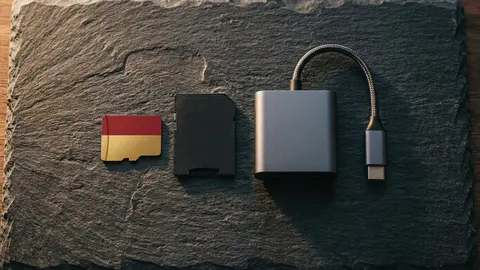
SanDisk Extreme 1TB microSD
A 1TB Extreme microSD card, UHS-I, up to 245MB/s read and 170MB/s write.
A short worked example
Suppose your camera records 4K at 130 Mbps. That is 16.25 MB/s, so a U3 or V30 card, with a guaranteed 30 MB/s, leaves comfortable headroom. If another mode records at 400 Mbps, that is 50 MB/s, so you would want a V60 card or faster. Always check the manual's recommendation for each mode, since the camera may need more than the arithmetic suggests.
Why cards fail during recording
When a card cannot keep up, the camera shows a warning and stops, or it drops frames. The most common causes are a card whose sustained write speed is below the mode's bitrate, a card that has slowed down because it is nearly full or heavily fragmented, a fake card that does not meet its marks, and a camera that needs a UHS-II card for its top mode. If a card fails once, format it in the camera and test it before relying on it.
Staying safe on important shoots
For important recordings, carry a spare card, offload files after each session and never delete footage until you have two copies. Record a short test clip at the highest mode you plan to use, and let it run for several minutes to see whether heat or speed becomes a problem. A test costs little, and a lost recording costs much.
The short version
Find your camera's highest recording bitrate, convert it from megabits to megabytes by dividing by eight, and pick a card whose guaranteed minimum write speed is comfortably above it. Then check the bus, the capacity limit and the seller. If you do those four things, speed problems on a 4K shoot are rare.
One more check
Look at the card's own packaging for the printed marks, not only the listing. Genuine cards print the class symbols on the face, and a card without them, or with a worn or oddly printed label, deserves suspicion. If a card passes this check and a capacity test, you can use it with confidence on a real shoot.
Be careful with
Judging a card by its headline read speed. Look at write speed and the video class mark.
The practical answer
For most 4K, a U3 or V30 card is the floor. For high bitrate modes, check the manual and go faster. Buy from a trusted seller.
Questions people ask
What does U3 mean?
A speed class that guarantees at least 30MB/s sequential write.
What does V30 mean?
A video speed class guaranteeing at least 30MB/s write.
Is read speed or write speed more important for video?
Write speed, because the camera must write data as it records.
Do I need UHS-II?
Only if your camera supports it and you need very high bitrates.
Sources and scope
Reference material is linked for the scope described below. This is not a claim that every statement or current retailer offer has been independently verified.
- SanDisk Extreme microSD UHS-I Card A2 (SanDisk): manufacturer product page
- microSD and SD memory card naming conventions (Kingston): speed class definitions
- DJI Osmo Pocket 3 specifications (DJI): manufacturer specifications
No hands-on testing or systematic reliability study was performed. Confirm current instructions, seller, model and box contents before ordering.