What the specs on a microSD card listing really mean
What the specs on a microSD card listing really mean: UHS-I, read and write speeds, U3, V30, A2, capacity and the Extreme label explained.
On this page
MicroSD listings are crowded with symbols. This source-informed explainer decodes them, using the SanDisk 1TB Extreme microSD UHS-I card, listed by SanDisk with up to 245MB/s read and 170MB/s write, as the example, with Kingston's naming guide as the source for the class definitions. We did not test the card.
Read and write
Read speed is how fast data comes off the card. Write speed is how fast data goes on. The listing says up to 245MB/s read and up to 170MB/s write. For video recording, write speed matters, because the camera must write continuously.
Up to
Up to is the best case under test conditions with a specific reader and host. Your camera may not reach it. The guaranteed number is the speed class mark, like U3 or V30, which promises a minimum sustained write. SanDisk lists U3, V30 and A2 on this card.

Speed class marks
Kingston explains that the older classes C2, C4, C6 and C10 mean minimum write speeds of 2, 4, 6 and 10 MB/s. U1 means 10 MB/s and U3 means 30 MB/s. V30 means 30 MB/s, and V60 and V90 mean 60 and 90 MB/s. The numbers represent megabytes per second of minimum sustained write. Check your camera for the minimum class it needs for each mode.
UHS-I
UHS-I is a bus standard. It tops out at about 104MB/s in standard terms, and manufacturers quote higher proprietary figures. SanDisk's 245MB/s read figure is above that, which shows why you should treat headline speeds as a best case. Pay attention to what your device supports.
Application class
A1 and A2 classes describe random read and write performance for apps. Kingston gives A1 as at least 1500 read and 500 write operations per second, and A2 as 4000 and 2000, and says both need at least 10 MB/s sequential write. They matter in phones and handheld consoles, less so in cameras.
Capacity
1TB is a large card. Check that your device supports it. Many devices use a file system that handles large cards, but some older devices do not. SanDisk lists the same family in capacities such as 64 GB, 128 GB and 2 TB, with up to 170, 245 and 245 MB/s read and 80, 120 and 150 MB/s write respectively. So a smaller card in the same range may write more slowly.
Extreme and other labels
Extreme is a product name. It signals a faster line, not a standard. Compare the real numbers.
Fakes
Counterfeits are more common at high capacities. Buy from authorised sellers and test the card.
Put it together
Read how to choose a microSD card and what SD card speed for 4K video.
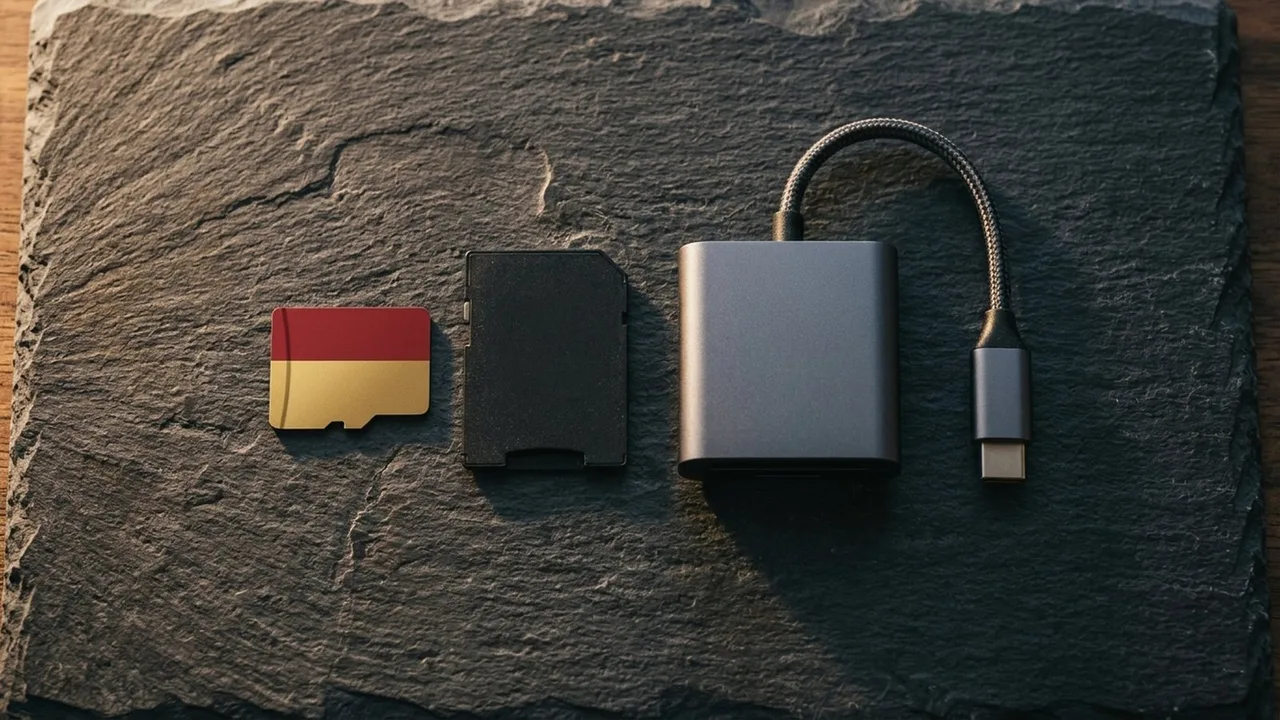
SanDisk Extreme 1TB microSD
A 1TB Extreme microSD card, UHS-I, up to 245MB/s read and 170MB/s write.
A quick decoder
Look at the card face from top to bottom. A capacity, then a bus mark such as I for UHS-I, then a speed class such as U3, a video class such as V30 and an application class such as A2. Each answers a different question: how big, which bus, what minimum for stills and video, and how well it handles apps. You rarely need every mark, so find the one your device asks for.
Reading a real example
Take the SanDisk Extreme 1 TB listing. It lists up to 245 MB/s read and 170 MB/s write, U3, V30, A2 and UHS-I. Read it this way: the card's best case read is 245 MB/s, its best case write is 170 MB/s, and its guaranteed minimum sustained write is 30 MB/s from the U3 and V30 marks. The A2 mark says it handles app workloads well, and UHS-I says the bus it uses. For a camera recording at 16 MB/s, that guaranteed floor is more than enough.
What the warranty and box tell you
SanDisk lists a lifetime limited warranty on this card and no adapter in the box. A warranty does not recover lost footage, so it is no substitute for backups. A missing adapter means you need a microSD reader or a computer with a microSD slot to copy files.
Common confusions
People often confuse read and write speeds, assume UHS-II is always better, and read A1 or A2 as video marks. They are not. Another confusion is believing that a bigger card is always faster. In SanDisk's own range, the 64 GB card writes at 80 MB/s and the 1 TB card at 170 MB/s, but that is a feature of the product line, not a rule, so check each card.
Before you buy
Write down your device's maximum capacity, its required speed class and its bus. Then compare the card's marks. If they match or exceed each item, the card is a candidate. If one is missing from the listing, ask the seller or choose a card that states it. And buy only from an authorised seller, since the best specification is worth nothing on a fake.
Where to learn more
Kingston's naming guide, which we used for the class definitions, is a good plain explanation of the marks, and SanDisk's product page lists the exact figures for each capacity. If your device's manual names a required class, trust the manual over any listing.
Be careful with
Trusting the up to figure without checking the class marks and your device's needs.
The practical answer
Look for the write speed class, check device support and buy from a trusted seller.
Questions people ask
What does up to mean?
The best case speed under ideal tests. Real speeds are often lower.
What does UHS-I mean?
A bus interface standard with a ceiling around 104MB/s in theory.
What is A2?
An application performance class for apps on phones and consoles.
What is Extreme?
A product line name, not a standard.
Sources and scope
Reference material is linked for the scope described below. This is not a claim that every statement or current retailer offer has been independently verified.
- SanDisk Extreme microSD UHS-I Card A2 (SanDisk): manufacturer product page
- microSD and SD memory card naming conventions (Kingston): speed class definitions
No hands-on testing or systematic reliability study was performed. Confirm current instructions, seller, model and box contents before ordering.